We use the Gutenberg block editor for most site content, but some homepages and landing pages require a level of layout control that’s better handled outside Gutenberg.
Here’s the homepage of The Kitchen Magpie, launched recently:
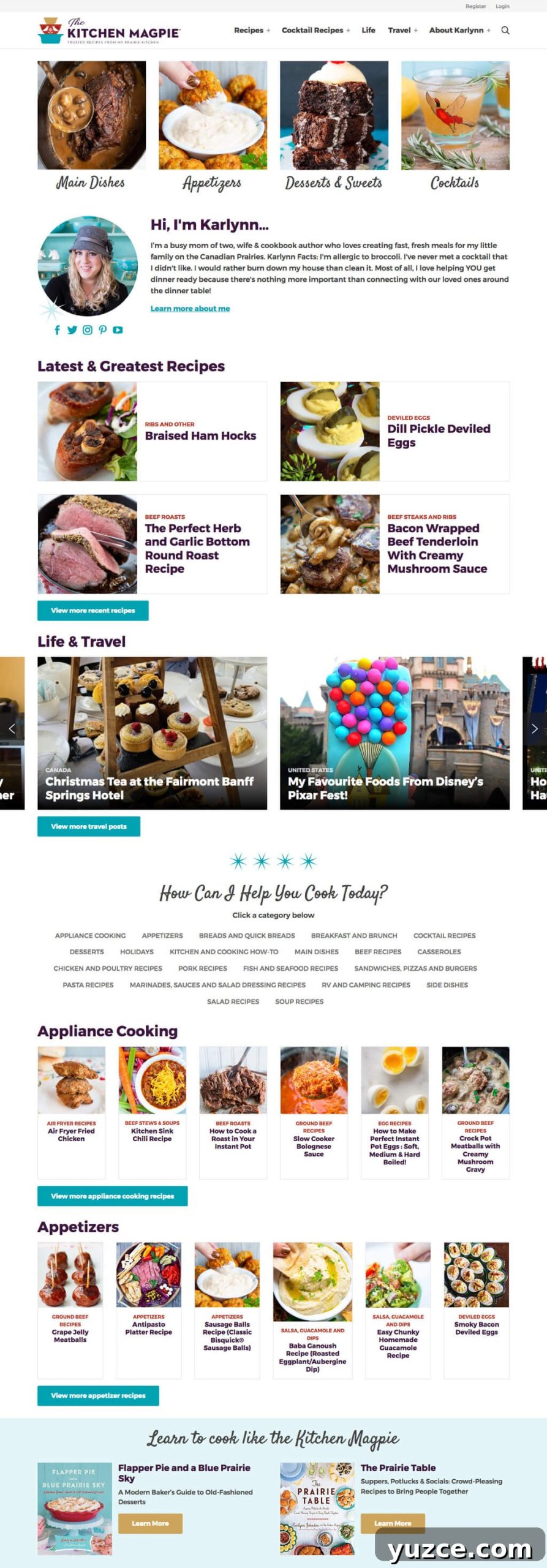
Some plugins add full page-building capabilities to Gutenberg, but clients often prefer a simpler editing interface focused on content. To ensure consistent, responsive presentation across viewports, we let the theme handle the overall page layout.
We build these modular pages using the Flexible Content field type in Advanced Custom Fields and disable the editor on those templates. Content editors assemble pages by inserting layouts—also called modules—in any order and filling in their fields.
Jump to Section
- How flexible content works
- Accessing the data
- Code organization
- Modular page template
- Using modules in your theme
- Category landing pages
How flexible content works
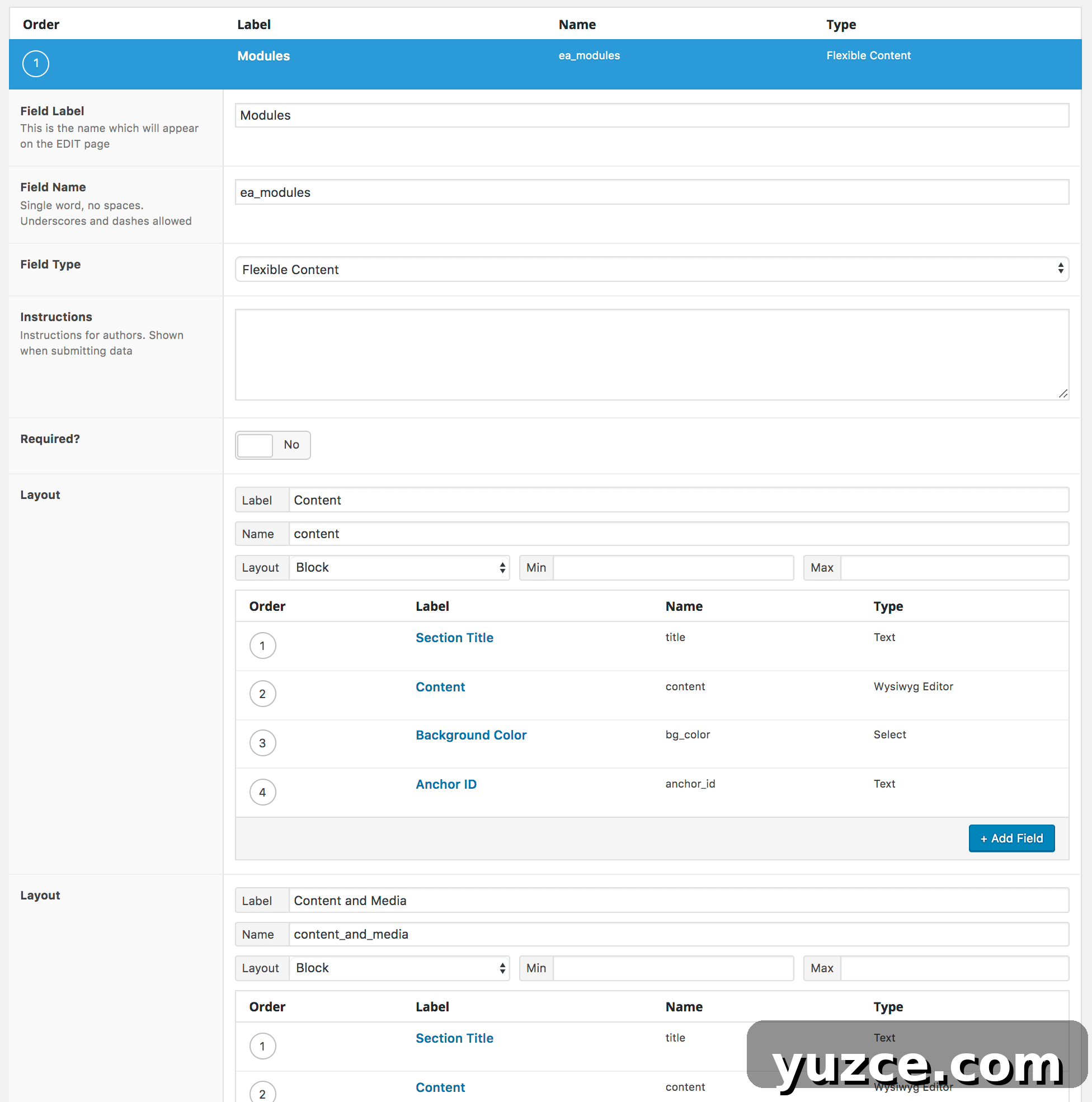
The Flexible Content field in ACF lets you define multiple groups of fields, known as layouts. Editors add those layouts in any order, collapse them for easier organization, and expand them to edit fields. I typically start with a simple content layout, then add more specialized modules as needed; most projects use six to twelve module types.
Because we follow a thorough design process, we can produce modular landing pages that load quickly and present content well across devices.
Accessing the data
Retrieve module data with get_field(). If your flexible content field has a meta key of ea_modules, call:
$modules = get_field( 'ea_modules' );This returns an ordered array of layouts and their fields. Each item includes acf_fc_layout to indicate the layout type, followed by the layout’s fields and subfields.
Array
(
    [0] => Array
        (
            [acf_fc_layout] => quick_links
            [quick_links] => Array
                (
                    [0] => Array
                        (
                            [title] => Desserts & Sweets
                            [url] => https://kitchenmagpie.com/recipes/desserts/
                            [image] => 34679
                        )
...
)
You can also use get_post_meta() to retrieve the metadata directly. That returns a simpler array listing layouts in order and allows access to subfields via meta keys like ea_modules_0_title. In practice, get_field() is usually easier for flexible content.
To render modules, use a switch statement in your theme to decide markup per layout. Example loop:
foreach( $modules as $module ) {
	switch( $module['acf_fc_layout'] ) {
		case 'content':
			echo apply_filters( 'the_content', $module['content'] );
			break;
		case 'quick_links':
			// quick links markup
			break;
	}
}
Code organization
I keep module rendering in a separate file (for example, /inc/modules.php) instead of cluttering templates. This makes the code easier to read and lets you display modules outside the main content area.
Key pieces in this approach include:
- A function that loads all modules for a given post and loops through them (ea_modules()).
- A per-module renderer (ea_module()) that opens the module wrapper, switches on acf_fc_layout, outputs the module-specific markup, then closes the wrapper.
- Helper functions to output consistent opening and closing markup, headers, and conditional disabling of modules when appropriate (ea_module_open(), ea_module_header(), ea_module_close(), ea_module_disable()).
- A helper (ea_has_module()) to detect whether a page uses a specific module, useful for adjusting other theme areas.
These functions return early if ACF isn’t active to avoid errors and use the module index to create unique IDs for anchors.
Modular page template
With modules defined, assign the Flexible Content metabox to the desired page template in ACF. In the page template you call ea_modules() to render them. Because each module wraps its own content, the template can adjust structural wrappers (for example, altering .site-inner and removing a global .wrap) so modules span full-width areas when needed.

// In the template: get_header(); ea_modules(); get_footer();Using modules in your theme
Modules are reusable. For example, a “Save Recipes CTA” module used on a homepage can also be displayed at the bottom of every post. To render a single module anywhere, call ea_module() and pass an array with acf_fc_layout set to the module key. If the module requires fields, include them in the array.

function ea_single_save_recipe_cta() {
	ea_module( array( 'acf_fc_layout' => 'save_recipes_cta' ) );
}
add_action( 'genesis_after_entry', 'ea_single_save_recipe_cta', 5 );
Category landing pages
For food bloggers and other content-heavy sites, category archive pages often need more than a chronological list of posts. They benefit from SEO-friendly, relevant content plus highlighted posts and subcategory listings. Modules let you build rich archive landing pages that appear above recent posts.
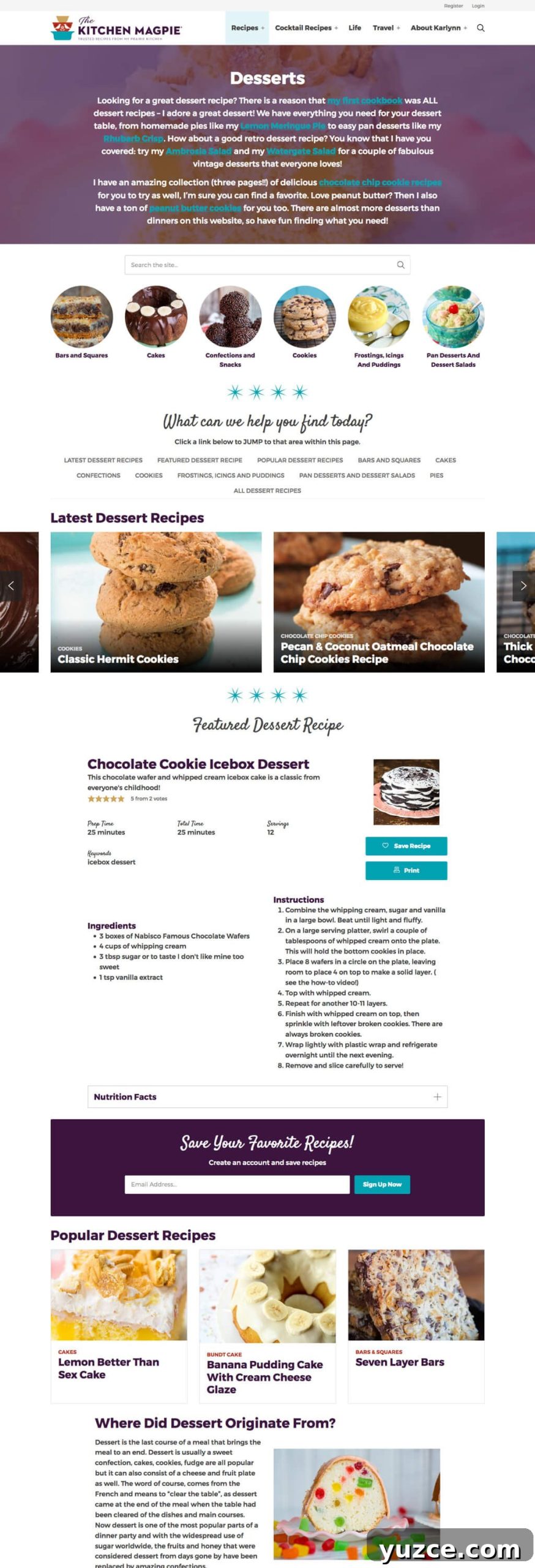
Avoid adding complex Flexible Content metaboxes directly to the Edit Category screen—term edit screens have limited space and storing large amounts of term meta can cause performance issues. Instead, create an Archive Landing custom post type for building landing pages. Editors add modules to Archive Landing posts and connect them to taxonomies with a separate “Appears on” metabox.
The connection can be a taxonomy field (ea_connected_category) or a pair of fields when supporting multiple taxonomies: a select (ea_connected_taxonomy) and taxonomy fields for each supported taxonomy (ea_connected_{taxonomy}). Hide the standard taxonomy metaboxes on this screen and have the taxonomy field update the terms on save.
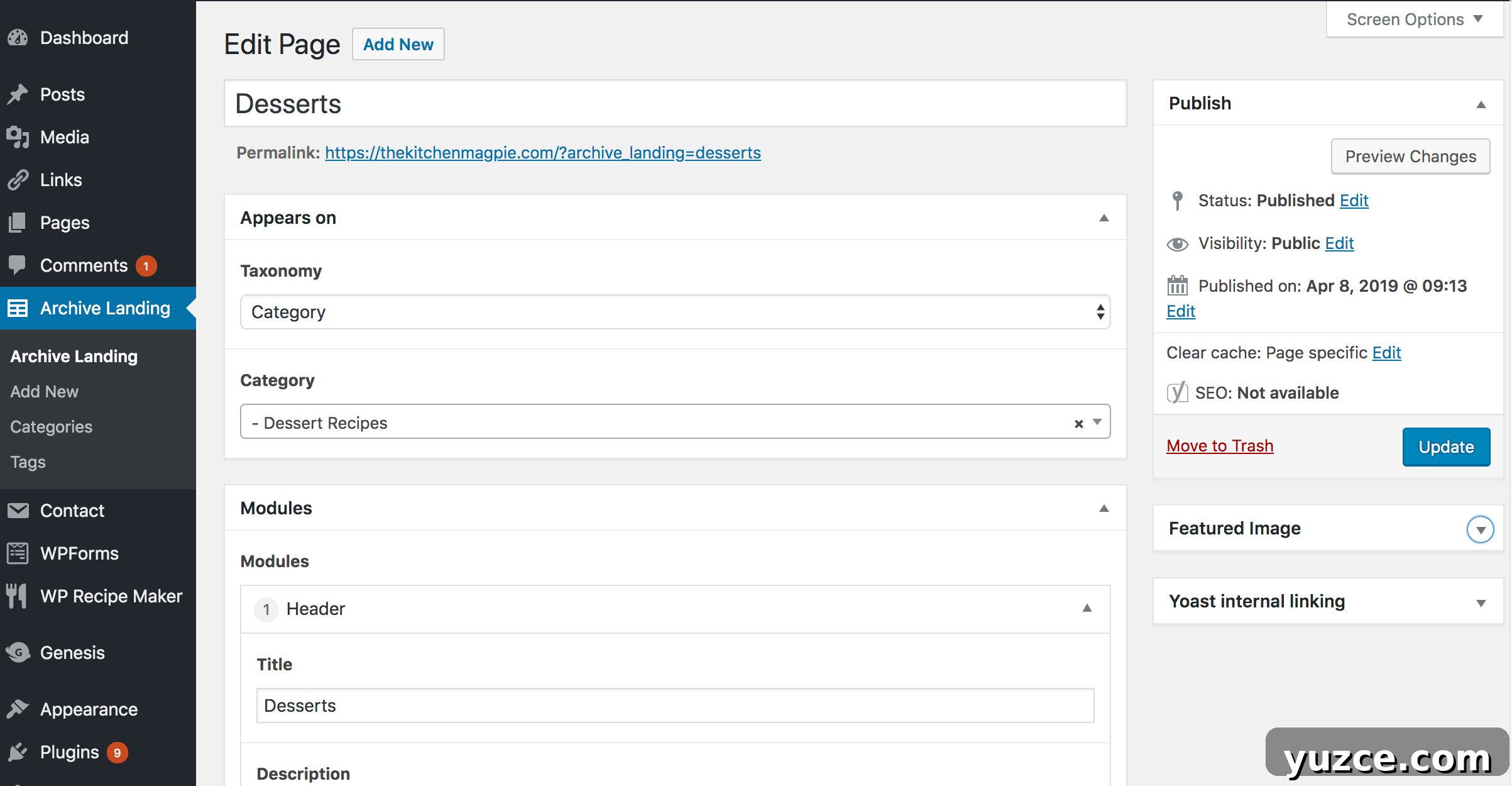
On archive templates, use a tax_query to find an archive_landing post attached to the current term. If found and not on a paged view, display its modules above the post loop. Use ea_has_module() to detect a Header module and remove the default archive title when the module provides its own heading.
// Example: if archive landing found, ea_modules( $archive_landing_id );The Archive Landing class supports registering the post type, resolving the correct taxonomy, finding the connected landing post, redirecting single views of archive landing posts to the term archive, and adding quick admin-bar links to edit or create landing pages for the current term.
Using ACF Flexible Content with a modular theme structure lets editors build flexible, consistent pages while keeping presentation logic in the theme. This approach improves performance, maintains a clean editing experience, and makes modules reusable across templates and areas of the site.